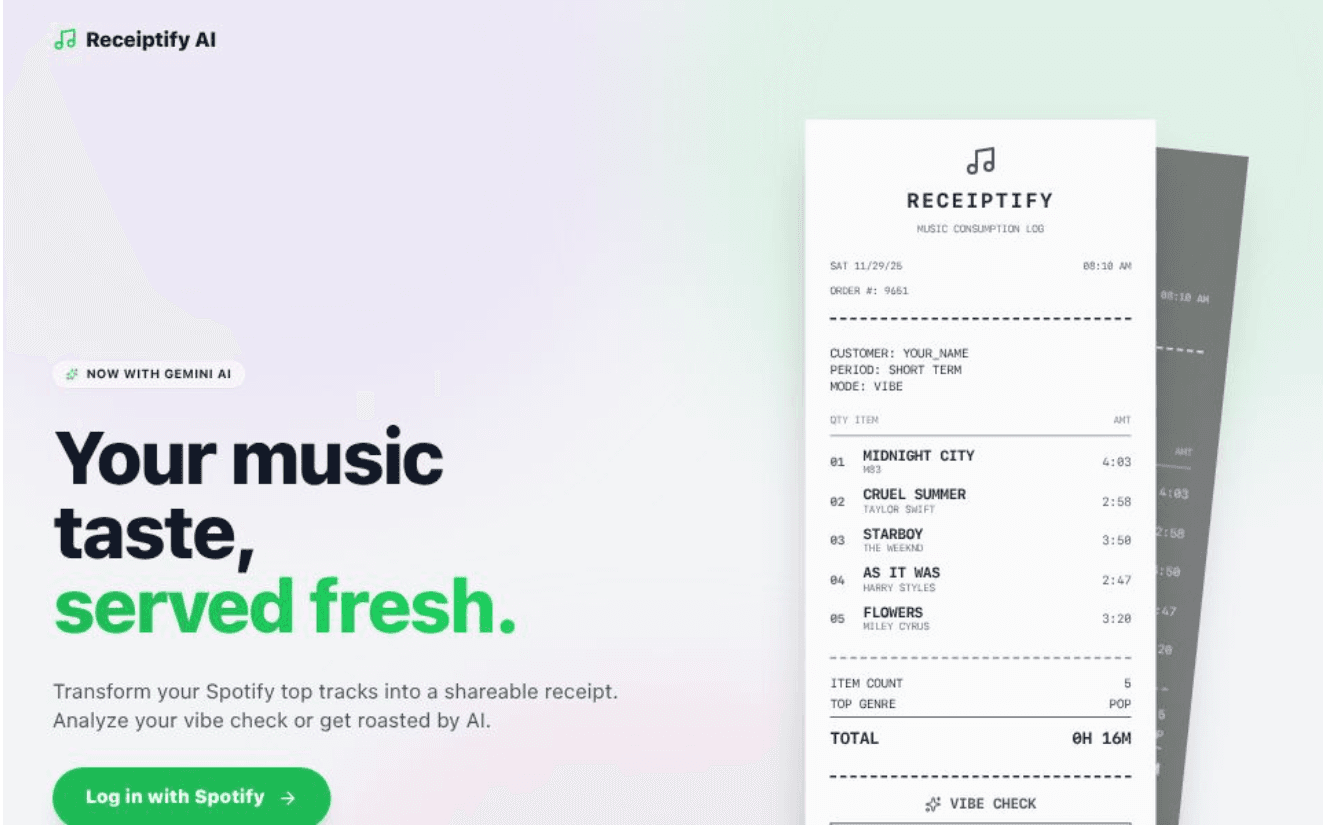
Your music stats, printed fresh.
A retro receipt generator and data analytics tool for Spotify.
✨ About The Project
Statstify AI (formerly Receiptify AI) is a dual-mode tool for Spotify users. It transforms your top tracks, artists, and genres into:
- Receipts: Aesthetic, thermal-paper track lists.
- Analytics Reports: Detailed data breakdowns of your audio profile, including artists rotation, mainstreamness, variety, time extremes, top genres, content, and decade categorization.
Built with React 19, Tailwind CSS, and Google GenAI SDK.
🚀 Features
- Spotify Integration: Securely fetches your Top Tracks (Last Month, 6 Months, All Time) via OAuth PKCE.
- Deep Customization:
- Themes: Classic, Mint, Sakura, Dark Mode, Cyberpunk.
- Textures: Clean, Crumpled Paper, Faded Thermal.
- Options: Toggle album art, barcodes, and receipt length.
- Export: High-quality PNG download to share on socials.
🛠️ Tech Stack
⚙️ Getting Started
Follow these steps to set up the project locally.
Prerequisites
1. Clone the Repository
git clone https://github.com/yourusername/receiptify-ai.git
cd receiptify-ai
2. Install Dependencies
- Go to the Spotify Developer Dashboard.
- Create a new App.
- In the app settings, add your Redirect URI:
- For local dev:
http://localhost:3000/callback
- (Or your specific development URL if using Codespaces)
- Create a
.env file in the root directory (or set environment variables in your deployment platform):
SPOTIFY_CLIENT_ID=0411015d069f408db5ab6f3d401253dd
SPOTIFY_REDIRECT_URI='http://localhost:3000/callback'; // Match what you put in dashboard
- Get your API key from Google AI Studio.
- Open
.env file and add:
API_KEY=your_google_gemini_api_key_here
Note: The application expects process.env.API_KEY to be available. If using Vite, you might need to prefix with VITE_ or configure your bundler to expose this system variable.
5. Run the App
📸 How to Use
- Log in: Click "Log in with Spotify" on the landing page.
- Customize: Use the control panel to change the time range (Last Month, All Time), theme, and paper texture.
- Vibe Check: Switch the mode to Vibe or Roast to trigger the Gemini AI analysis.
- Download: Click "Save Image" to download your receipt.
🔒 Privacy
- Token Security: This app uses the Authorization Code Flow with PKCE, the recommended secure standard for client-side apps.
- Data Handling: Your Spotify data is processed entirely in your browser. It is sent to Google Gemini only when you request an analysis, and only the track names/artists are sent as a text prompt. No user data is stored on any server.
📄 License
Distributed under the MIT License. See LICENSE for more information.